








Bike Computer, Electric Bicycle 5Pin LCD EN06 Display with USB 36V/48V for Bike

 4.7 (81 items)
 Limited Time Sale
$30.91 cheaper than the new price!!
Free cash-on-delivery fees for purchases over $99
Product details
| Management number | 219343726 | Release Date | 2026/05/03 | List Price | $20.60 | Model Number | 219343726 | ||
|---|---|---|---|---|---|---|---|---|---|
| Category | |||||||||
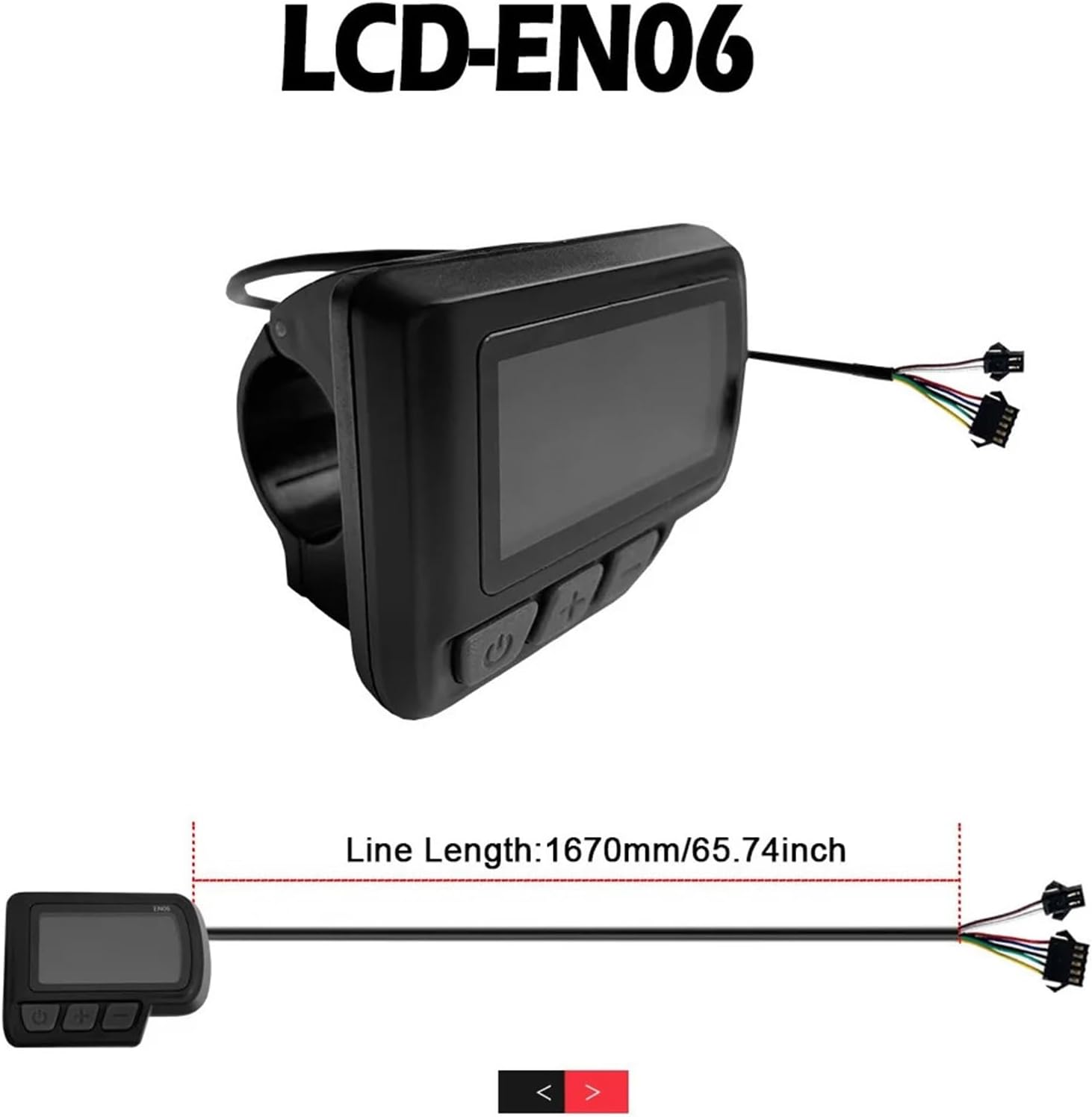
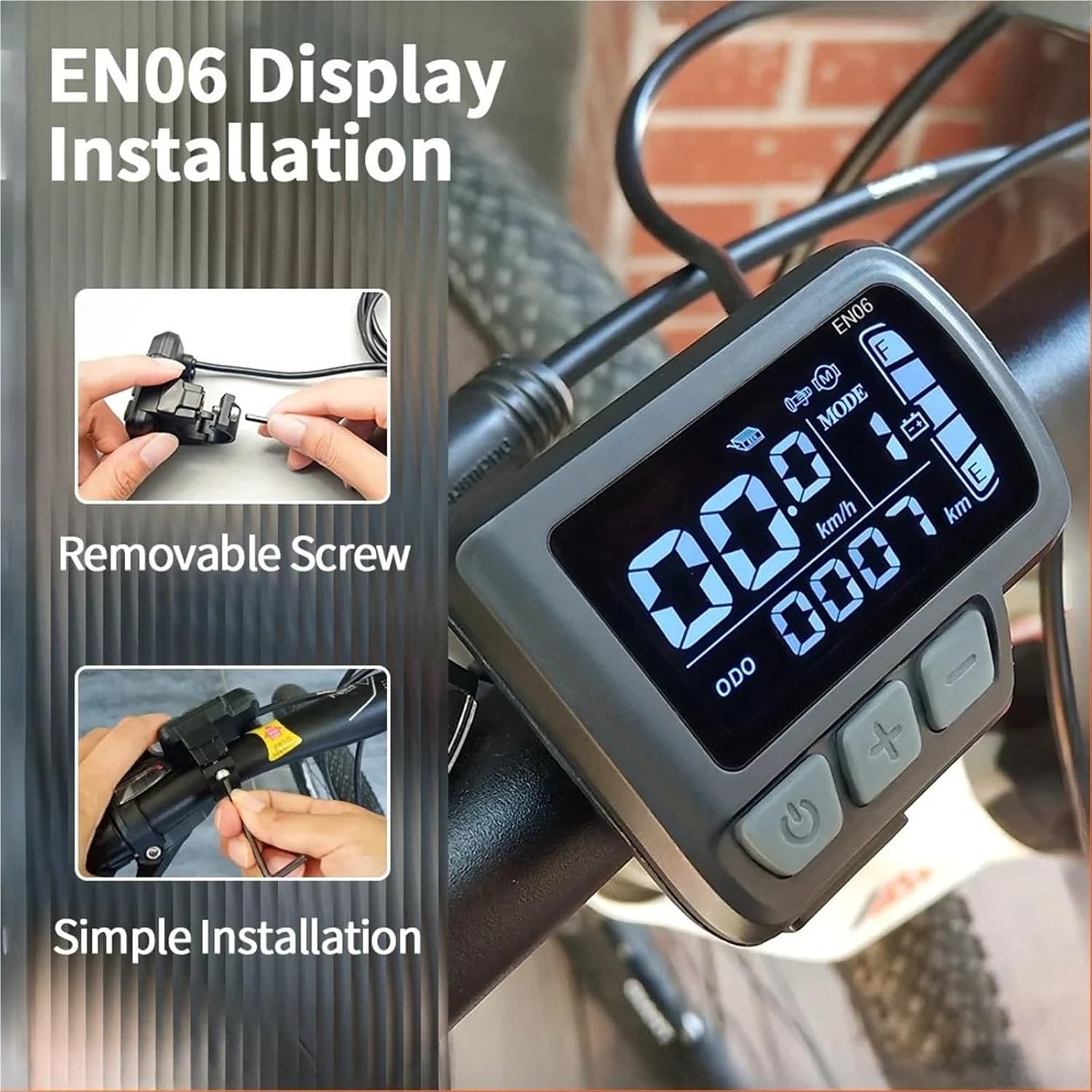
Product information:Product Type:EN06 DisplayProduct Voltage:36V/48VProduct :5Pin+ 2PinCable Length:1650mm/65inHolder Diameter:φ22.2mm/0.87inCharacteristic:USB interfaceSetting for LCD EN061.P01: Backlight Brightness (1: darkest; 3: brightest)2.P02: Mileage Unit (0: KM; 1: MILE)3.P03: Voltage Class 24V/36V / 48V4.P04: Auto-Sleep Time(0: never, other valuemeansdisplaysleep interval) Unit: minute5.P05: Power Assist Gear0/3 Gear Mode: Gear 1: 2V Gear 2: 3V Gear 3: 4V1/5 Gear Mode: Gear 1: 2V Gear 2: 2.5V Gear 3: 4VGear 4: 3.5V Gear 5: 4V6.P06: Wheel Diameter Unit: inch Precision: 0.17.P07: Magnet Steel Number (for Speed Test) Range: 1-1008.P08: Speed LimitRange: 0-50km/h, parameter 50 indicates no speed limit.1. Non-communications status (panel-controlled)Setting for LCD EN06P01: Backlight Brightness (1: darkest; 3: brightest)P02: Mileage Unit (0: KM; 1: MILE)P03: Voltage Class 24V/36V / 48VP04: Auto-Sleep Time(0: never, other valuemeansdisplaysleep interval) Unit: minuteP05: Power Assist Gear0/3 Gear Mode: Gear 1: 2V Gear 2: 3V Gear 3: 4V1/5 Gear Mode: Gear 1: 2V Gear 2: 2.5V Gear 3: 4VGear 4: 3.5V Gear 5: 4VP06: Wheel Diameter Unit: inch Precision: 0.1P07: Magnet Steel Number (for Speed Test) Range: 1-100P08: Speed LimitRange: 0-50km/h, parameter 50 indicates no speed limit.1. Non-communications status (panel-controlled)When the current speed exceeds the speed limit, the PWM output will be shut down; when the current speed falls to lower than the speed limit, the PWM output will be activated and the driving speed will be set as the current speed ±1km/h (only applies to assist power speed, not applicable to the handlebar speed).2. Communications status (controller-controlled)The driving speed will be kept constant as the limited value.Error Value: ±1km/h (applicable to both the assist power/handlebar speed)Note: The above-mentioned values are measured by metric unit (kilometers). When the measuring unit is switched to unit (mile), the speed value displayed on the panel will be automatically switched to corresponding unit, however the speed limit value in the unit interface won’t change accordingly.P09: Direct Start / Kick-to-Start Setting0: Direct Start1: Kick-to-StartP10: Drive Mode Setting0: Power Assist – The specific gear of the assist drive decides the assist power value. In this status the handlebar does not work.1: Throttle Mode – The vehicle is driven by the handlebar. In this status the power gear does not work.2: Power Assist + Throttle – Electric drive does not work in zero-start status.P12: Power Assist Intensity Range: 0-5P13: Power Magnet Steel Number 5 / 8 / 12pcsP14: Current Limit Value: 12A by default; Range: 1-20AP15:Under-voltage:Choose according to your setP16: ODO Zero-OutSetting for LCD EN06P01: Backlight Brightness (1: darkest; 3: brightest)P02: Mileage Unit (0: KM; 1: MILE)P03: Voltage Class 24V/36V / 48VP04: Auto-Sleep Time(0: never, other valuemeansdisplaysleep interval) Unit: minuteP05: Power Assist Gear0/3 Gear Mode: Gear 1: 2V Gear 2: 3V Gear 3: 4V1/5 Gear Mode: Gear 1: 2V Gear 2: 2.5V Gear 3: 4VGear 4: 3.5V Gear 5: 4VP06: Wheel Diameter Unit: inch Precision: 0.1P07: Magnet Steel Number (for Speed Test) Range: 1-100P08: Speed LimitRange: 0-50km/h, parameter 50 indicates no speed limit.1. Non-communications status (panel-controlled)When the current speed exceeds the speed limit, the PWM output will be shut down; when the current speed falls to lower than the speed limit, the PWM output will be activated and the driving speed will be set as the current speed ±1km/h (only applies to assist power speed, not applicable to the handlebar speed).2. Communications status (controller-controlled)The driving speed will be kept constant as the limited value.Error Value: ±1km/h (applicable to both the assist power/handlebar speed)Note: The above-mentioned values are measured by metric unit (kilometers). When the measuring unit is switched to unit (mile), the speed value displayed on the panel will be automatically switched to corresponding unit, however the speed limit value in the unit interface won’t change accordingly.P09: Direct Start / Kick-to-Start Setting0: Direct Start1: Kick-to-StartP10: Drive Mode Setting0: Power Assist – The specific gear of the assist drive decides the assist power value. In this status the handlebar does not work.1: Throttle Mode – The vehicle is driven by the handlebar. In this status the power gear does not work.2: Power Assist + Throttle – Electric drive does not work in zero-start status.P12: Power Assist Intensity Range: 0-5P13: Power Magnet Steel Number 5 / 8 / 12pcsP14: Current Limit Value: 12A by default; Range: 1-20AP15:Under-voltage:Choose according to your setP16: ODO Zero-Out==========Type: Display
- Experience seamless control with the Electric Bicycle 5Pin LCD EN06 Display designed for precision and convenience
- The LCD EN06 offers effortless compatibility with 36V and 48V electric bike systems enhancing your ride
- Stay powered and connected on the go with the innovative USB Display feature integrated into the EN06 for electric bikes
- Enjoy clear easy to read data on your electric bike with the high visibility LCD EN06 Display tailored for various voltages
- Upgrade your electric bicycle with the reliable 5Pin LCD EN06 ensuring smooth interaction and real time monitoring
| Color | One Color |
|---|---|
| Brand Name | TECJHJZ |
| Manufacturer | TECJHJZ |
| Model Number | 8188698 |
| Manufacturer Part Number | 8188698 |
Bestseller ranking
Menstruation





Customers who viewed this product also viewed
Cycling Computers


Correction of product information
If you notice any omissions or errors in the product information on this page, please use the correction request form below.
Correction Request Form